
Filing of Annual Returns
Steps to file your Annual returns
- Download the Annual returns form from our website (orc.gov.gh) or pick up from our office
- The Completed form must be duly signed by a director and secretary or the company
- Attach the signed Auditor’s Financial Statement / Statement of Affairs and submit the Annual Returns from to the Registrar at any ORC office.
- Make a payment at the on-site bank at our office or online payment platform (ghana.gov.gh)
A Company must file its Annual Returns within 18 months of incorporation and every year thereafter whether it was in operation or not
Annual Renewal
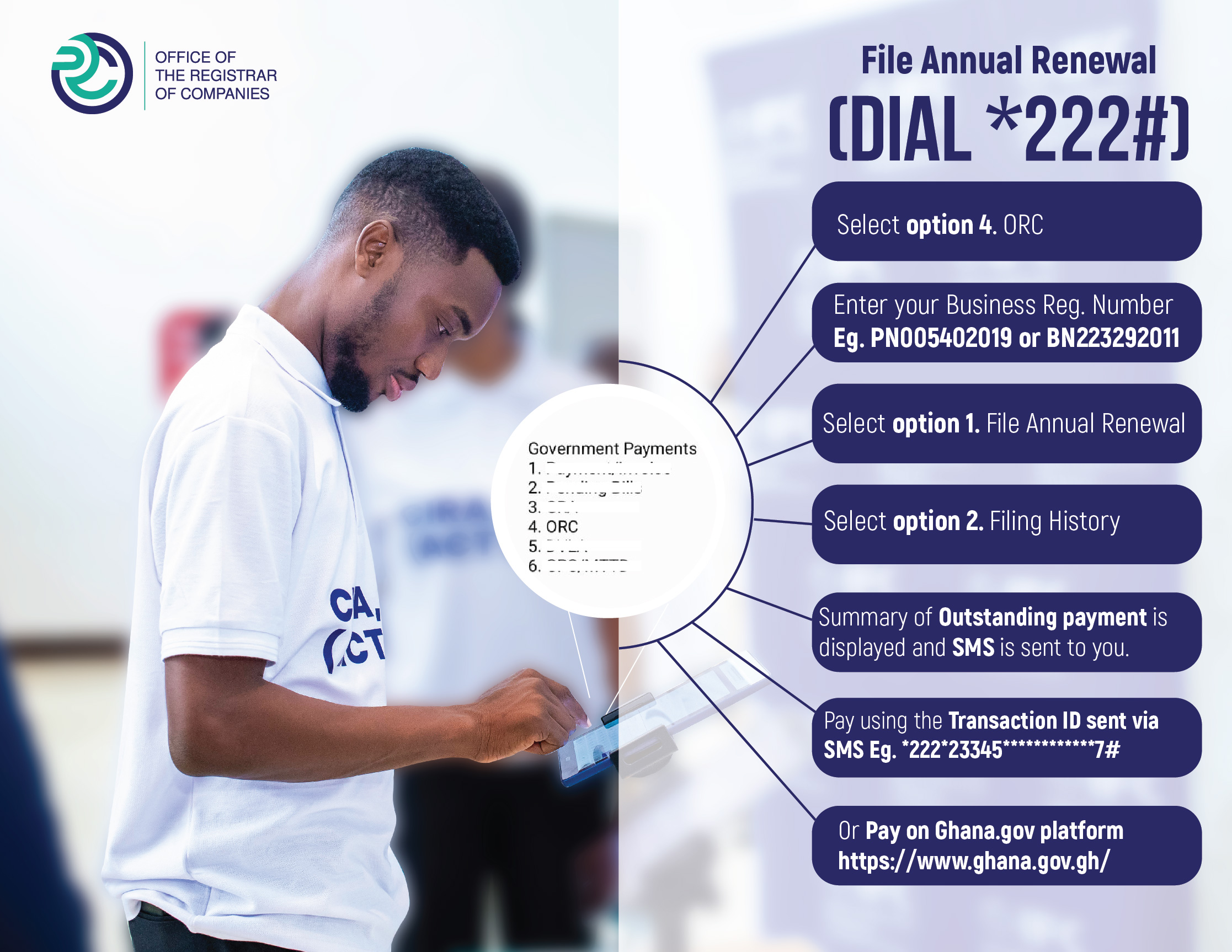
Dial *222#
To renew your Business Name
- Dial *222#
- Choose option 4
- Enter your business registration number (BNXXXXXXXXX)
- Select NO. 1(Filing of Annual renewal)
- A link will be sent via SMS to your phone. Click on the Link to access the payment platform (Ghana.gov.gh).
- Sign in or sign up to make payment on the payment platform
- Proceed with any payment mode of Choice.
- Call us via 0302666081/0599525774 for Assistance.